
Download sMedio TrueLink – Windows 8 Multimedia Hub, Free & Secure
Overview
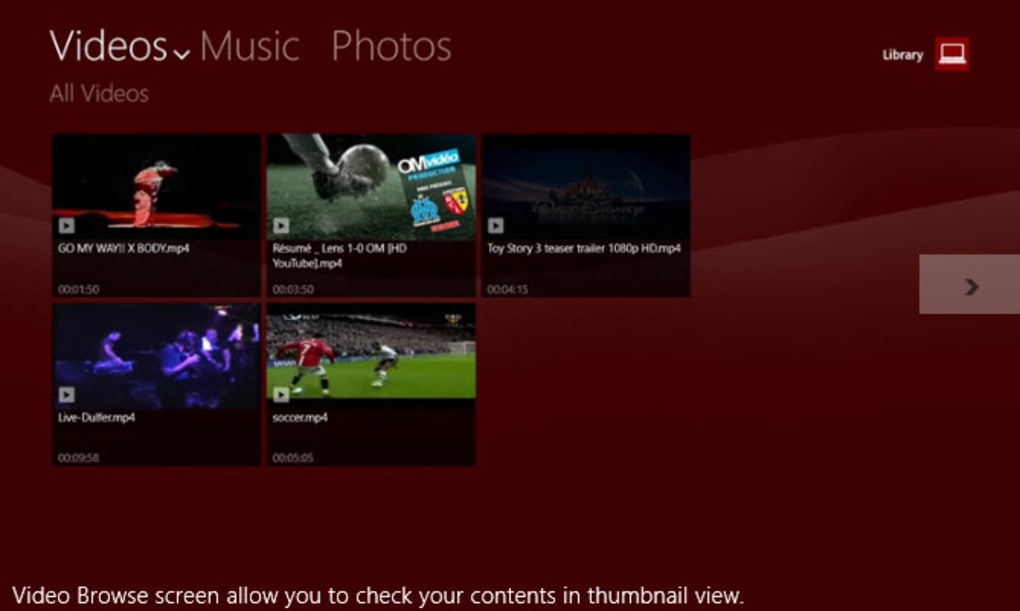
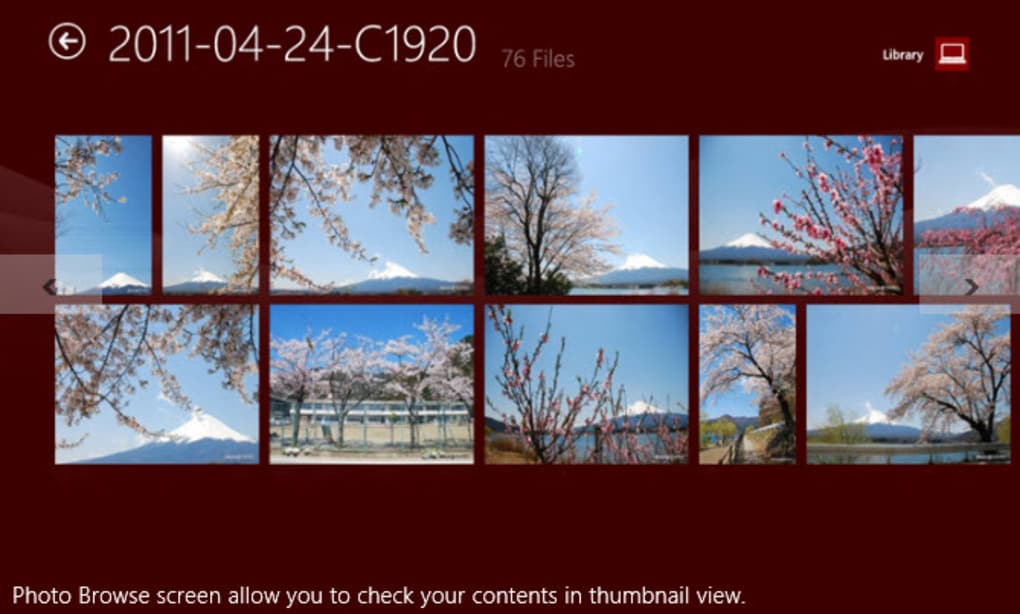
sMedio TrueLink+ is a dedicated Metro‑style app designed for Windows 8 that brings your entire multimedia library to the modern Start screen. Whether you store movies, music, or photos on a local hard drive or a home‑network device, TrueLink+ creates a seamless bridge between your content and the sleek Metro interface. The app automatically generates thumbnail previews, allowing you to identify videos and images at a glance without opening each file.
While the organization mirrors the folder structure you already use, the visual presentation feels fresh, making it easy to browse large collections on a touchscreen or with a mouse. TrueLink+ also supports streaming to DLNA‑compatible devices, turning your PC into a central media hub for TVs, game consoles, and network‑attached storage. Although the navigation between different media types could be smoother, the core experience is solid: a secure, free tool that lets you watch, listen, and view directly from the Windows 8 environment.
Key Features
- Full integration with Windows 8 Metro UI – launch directly from the Start screen.
- Automatic thumbnail generation for videos and photos for quick visual browsing.
- Supports local hard‑drive folders and HomeNetwork (DLNA) devices.
- Playback of popular video formats (MP4, AVI, MKV) and audio codecs (MP3, AAC, FLAC).
- Image viewer with slideshow mode and basic EXIF metadata display.
- Free, ad‑free version with optional paid upgrade for advanced library management.
- Secure file handling – no background data collection, all processing stays on your PC.
- Regular updates through the Windows Store to keep compatibility with the latest Windows 8 patches.
Installation, Usage & Compatibility
How to Download and Install
Installing sMedio TrueLink+ is straightforward. Open the Windows Store, search for “sMedio TrueLink+,” and click Get. The app will download and install automatically, requiring only a standard Windows 8 user account. No additional installers or third‑party drivers are needed, and the process respects Windows security policies, so you won’t encounter any permission prompts beyond the usual Store verification.
First‑Run Setup
Upon first launch, TrueLink+ asks you to locate your media folders. You can add multiple directories for videos, music, and pictures, or let the app scan your default Videos, Music, and Pictures libraries. The scanning process creates a thumbnail cache stored locally, which speeds up subsequent browsing. If you have DLNA‑enabled devices on the same network, a simple toggle enables network discovery, allowing you to stream content with a single tap.
Everyday Usage Tips
The Metro tile shows a rotating preview of your most recent media, acting as a quick‑launch shortcut. Pin individual folders to the Start screen for instant access. Use the built‑in search bar to filter by file name or tag.
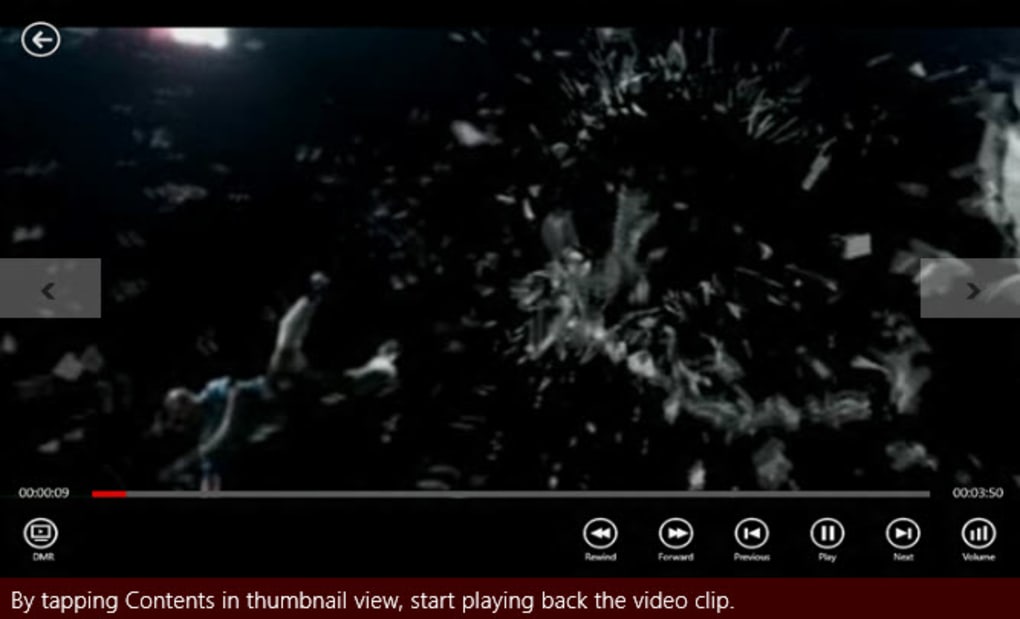
For video playback, TrueLink+ utilizes the native Windows Media Player engine, providing hardware‑accelerated decoding when available. Audio playback supports background mode, so you can continue listening while working in other apps. The image viewer offers pinch‑to‑zoom on touch devices and a fullscreen slideshow mode with transition effects.
Compatibility
sMedio TrueLink+ is built specifically for Windows 8 (both 32‑bit and 64‑bit). It runs on Windows 8.1 and retains full functionality on Windows 10 when the “Windows 8 mode” is enabled. The app does not support Windows 7 or older versions, as the Metro UI framework is unavailable there. For devices without a touch screen, all functions remain accessible via mouse and keyboard shortcuts.
Pros & Cons
Pros
- Deep integration with Windows 8 Metro UI gives a native look and feel.
- Free and ad‑free, with optional paid upgrade for power users.
- Automatic thumbnail previews make large libraries easy to navigate.
- Supports both local and network‑based media without extra configuration.
- Secure, no data is sent to external servers.
- Regular updates via the Windows Store keep the app current.
Cons
- Navigation between video, music, and image sections can feel a bit clunky.
- No built‑in media library editor; you must manage folders outside the app.
- Limited subtitle support for videos (only external .srt files recognized).
- Only available for Windows 8/8.1; no native version for Windows 10, macOS, Android, or iOS.
- Advanced metadata tagging and smart playlists are missing in the free version.
Overall rating: 4 out of 5 stars – sMedio TrueLink+ delivers a smooth Metro‑style media experience, especially for Windows 8 enthusiasts, but could improve cross‑type navigation and advanced library tools.
FAQ
Is sMedio TrueLink+ completely free?
The core application is free and ad‑free. An optional paid upgrade unlocks advanced library management features, such as smart playlists and batch metadata editing.
Can I stream media to a smart TV?
Yes. If your TV supports DLNA or Miracast, TrueLink+ can discover it on the same network and stream videos, music, or photos directly.
What video formats are supported?
TrueLink+ supports MP4, AVI, MKV, WMV, and MOV out of the box. For less common codecs, you may need to install additional Windows codecs.
Does the app affect system performance?
The app runs as a lightweight Metro process. Thumbnail generation uses a background thread, and playback leverages hardware acceleration, so it has minimal impact on overall system performance.
How often are updates released?
Updates are pushed through the Windows Store roughly every 2–3 months, focusing on bug fixes, UI tweaks, and compatibility with new Windows 8 patches.
Conclusion & Call to Action
If you spend most of your time in the Windows 8 Metro environment and want a quick, secure way to access your video, music, and photo collections, sMedio TrueLink+ is a strong contender. Its native look, thumbnail previews, and DLNA streaming capabilities make it a convenient hub for home entertainment. While the navigation could be more intuitive and advanced library tools are locked behind a paywall, the free version already offers a polished experience without ads or hidden data collection.
Ready to bring your media library into the Metro world? Download sMedio TrueLink+ today from the Windows Store and start enjoying your movies, music, and photos with a fresh, modern interface.







